
Internal Request Dashboard & Form Redesign

Timeline
Team
Deliverables
Main Contributions
Overview
Microsoft CE&S BI is responsible for managing datasets from customers. They build and maintain infrastructure, assets, reports, and analytics tools. They requested a redesign of their current bug reporting & new feature request system. Our team expanded the task into the streamlining of three entry points for clear and confident submission, tracking, and editing of requests.
Problem
Requesters struggled to independently submit requests and lacked the ability to track already submitted requests
The initial CE&S BI request intake experience was fragmented, cognitively demanding, and lacked clear in-app feedback and tracking. Requesters struggled to submit requests confidently, relying on support teams, and experiencing unnecessary friction throughout the reporting process.


The initial state had confusing terminology, inconsistent format, and lacked feedback
Process
What did our workflow look like?
We repeated the cycle of research, ideation, then testing and iteration for two out of three entry points. Testing was not completed for the Teams adaptive cards due to time constraints and was instead offered as a recommendation for possible next steps.
Literature Reviews
Heuristic Evaluations
User interviews
Competitive Analyses
Sketching
Whiteboarding
AI-assisted prototyping
User testing
High-fidelity prototyping
Research Insights
What principles do we need to consider for ideation? What do our users prioritize?

Collection of the team’s research work
A competitive analysis and user interviews revealed that users prioritized tracking their request’s progress.
The literature review emphasized the importance of confirming users’ actions. The existing system relied upon messages from the support team for confirmation and updates.
The heuristic evaluation pointed out the inconsistent formatting in the existing form. The literature reviews also stressed prioritizing only necessary content so as to not overload users cognitively.
Ideation
How did we quickly conceptualize our designs?
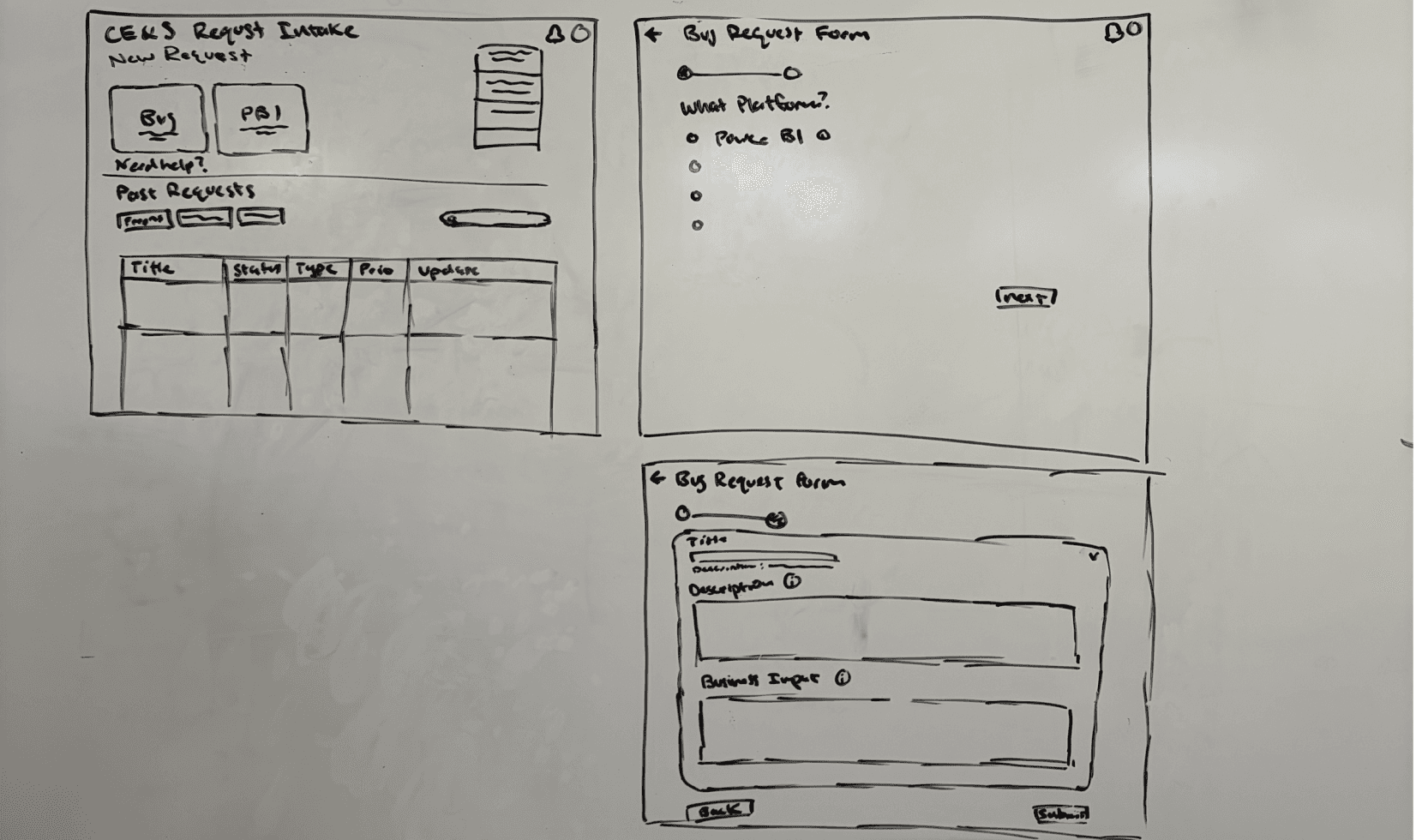
When designing for desktop, each team member sketched our idea of what the dashboard and form could look like while incorporating the takeaways from our research. We then came together to collaborate on a single set of whiteboard sketches that were then fed into Figma Make to create an early prototype purely for interactive user testing. The final prototypes were all designed by hand but the AI prototype ensured that the whole team shared the same image of the user flow and made early user verification possible. After refining the desktop prototype we translated the design for mobile and adaptive cards.



A high-fidelity page I prototyped that underwent minimal changes before being approved by my team
Testing & Iteration
How did we verify our designs with users? What did we change based on the feedback?
Our team moved from testing the AI-assisted prototype to hand building the high-fidelity prototype based off of our findings. After validating the desktop design, we moved to testing our mobile design. Due to time constraints Adaptive Cards were not tested within our timeframe and recommended our sponsors conduct usability testing as a next step.
Final Solution
How did we maintain a consistent system across three entry points?
The final designs clarified the request process across three formats and afforded new features such as tracking and editing of requests to assist Microsoft requesters. Three different designs were built specifically for each entry point in mind but shared one system.
Desktop
Mobile
Microsoft Teams Adaptive Cards
What are adaptive cards? Interactive UI components used within Microsoft platforms (Teams, Outlook, Copilot). We wanted to create a set of adaptive cards for an AI Agent to utilize that can help users submit and track requests through adaptive cards in Microsoft Teams.
Impact
How successful were our designs?
Because this project worked with an internal system, determining the success of our designs was based upon our Microsoft sponsors’ feedback rather than number metrics.
“I’m excited to share that both applications were officially launched yesterday. This is a significant milestone, and your contributions played an important role in making it happen.”
“Your efforts in redesigning the Intake App (Support App) and contributing to the designs for the Support Agent have had a meaningful impact on our organization and the experience we deliver to our users. The creativity, research, collaboration, and user-centered thinking you brought to the project were evident throughout the engagement.”
Reflection
Confidence, Professionalism, Teamwork
This was my first project working with industry sponsors so I was very hesitant and shy during the beginning of the project. However, as my team’s upperclassmen pushed me to facilitate multiple sponsor meetings and present our work to others unfamiliar with our project I started to gain confidence with speaking in a professional manner. A large factor in my growth during this project was when I took the initiative to tackle iteration of a couple high fidelity screens on my own that were then approved by my team with minimal changes. These exercises strengthened both my technical skills and my confidence in my own ability as a designer.
Furthermore, as this was my first project working in a full team of UX designers, I learned how to communicate my ideas and share workload with my team. I found that our team was much more efficient when we were picky about which tasks we would work together on as a whole team and where we could split into smaller groups. I learned that even with my limited experience my input was still valuable and often included during iterations.
